AuctionDesk
A live player auction desk for sports leagues that runs on the local network at the venue — captains bid from their devices while a big screen shows the current player, price, and timer. An optional public website stays in sync so fans at home (or in the stands) can browse the player list and follow the auction live.
Overview
Franchise drafts and player auctions used to mean whiteboards, WhatsApp chaos, and someone tracking budgets on a spreadsheet. AuctionDesk puts the whole night in one place at the venue. An admin runs the room — picks who comes up next, starts the timer, and confirms sold or unsold. Team captains log in on their own phones or laptops and bid in real time, with budgets and category limits enforced so nobody overspends or stockpiles the wrong type of player. A spectator view is meant for a projector or TV: current lot, live price, countdown, and the sold board — no login needed.
Before the event, organizers load players from a spreadsheet, set categories and base prices, add photos and logos, and tune how bidding steps and timers work at different price ranges. When you also use the companion web portal, that same catalog can go online for fans — and as the night runs, results sync out so people outside the room see captains’ boards fill up without guessing from group chats.
It’s built for how a real auction night works: one shared live session in the hall, clear “who owns what,” room for admin fixes when something goes wrong, and a light public window for anyone who wants to follow along.
Screenshots
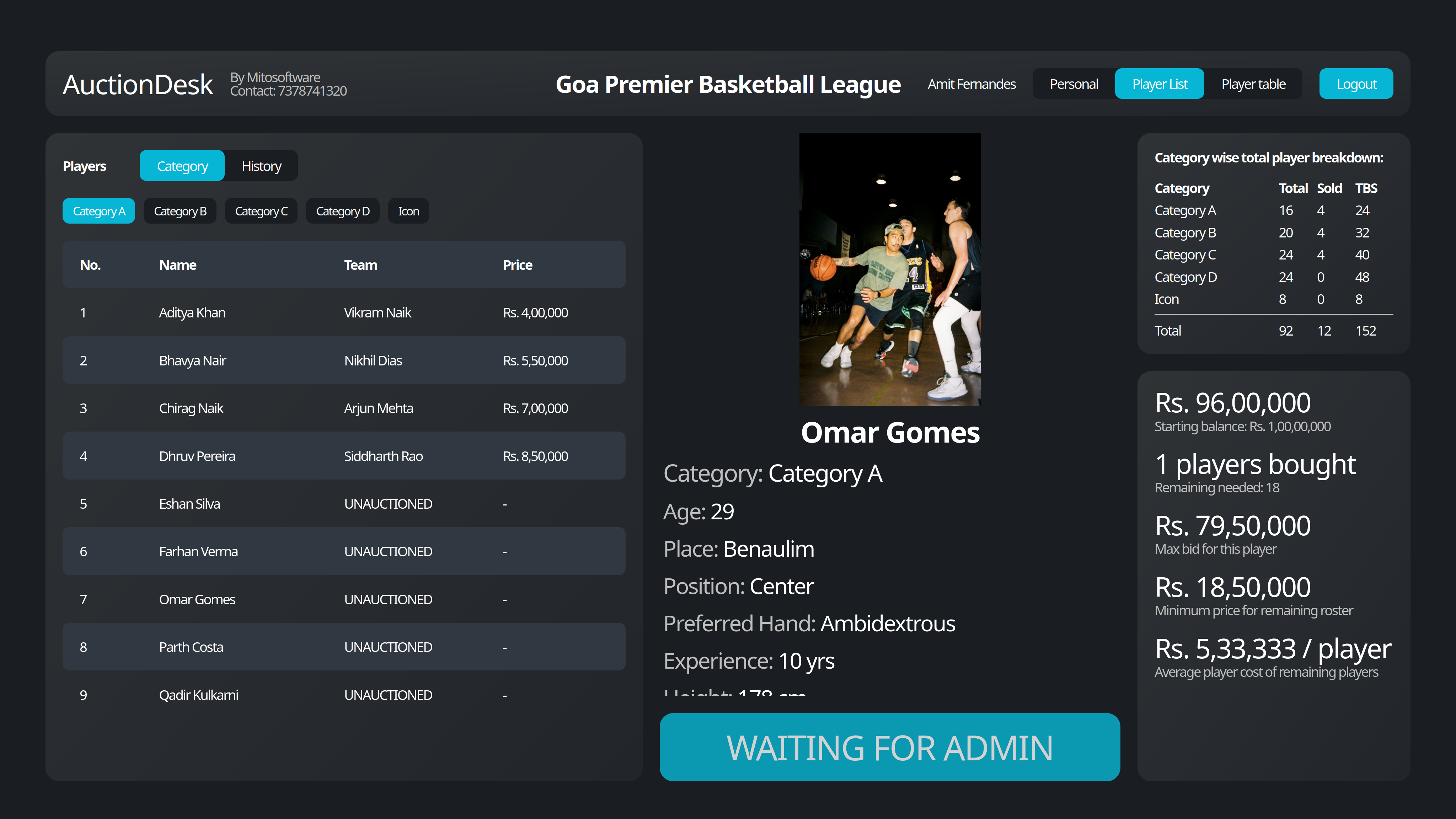
A look at AuctionDesk in action — admin desk, captain bidding, quotas, and setup.
Main features
What happens on auction night in the venue — and the optional public follow-along for fans.
Live auction control desk
Admin picks the next player pool, starts bidding, pauses or stops the clock, and finishes as sold or unsold.
Captain bidding from any device
Each team logs in, sees the current lot, and raises with the allowed bid steps while the timer runs.
Budgets and category quotas
Teams can’t spend past their purse or buy more of a category than the rules allow.
Hall / projector screen
A public board for the room: current player, price, timer, and sold list — view only.
Public follow-along (optional web portal)
Fans browse the player catalog and watch team boards update as the venue software syncs — same auction, outside the room.
Other features
Setup, overrides, results, and captain tools that keep the night running smoothly.
Setup before the night
Categories, captains, budgets, logos, and player list (including CSV import) from the admin tools.
Custom bid steps and timers
Different increment sizes and countdown lengths as the price climbs.
Player sold celebration
Big sold moment with photo, team branding, and a gavel-style cue when a deal closes.
Admin overrides when needed
Force sell, unsold, re-auction, change category, and similar fixes without breaking the night.
Full results table and export
Cross-team sold board and CSV export for records after the event.
Team stats for captains
See your squad, spend, and breakdown while the auction is running.
Online player directory
On the companion site, visitors open photos and details by category before (and during) the auction.
Tech stack
Built primarily with Next.js, with the rest of the stack chosen for auth, payments, storage, email, and hosting.
- Next.js
- TypeScript
- PostgreSQL
- Prisma
- Socket.IO
- Tailwind CSS
- Supabase (optional public portal)
- Cloudflare R2 (optional public portal)
- SSE live updates (optional public portal)
Have something similar in mind?
Tell us what you’re building — we’ll talk through fit and next steps.