synaptic-management.app
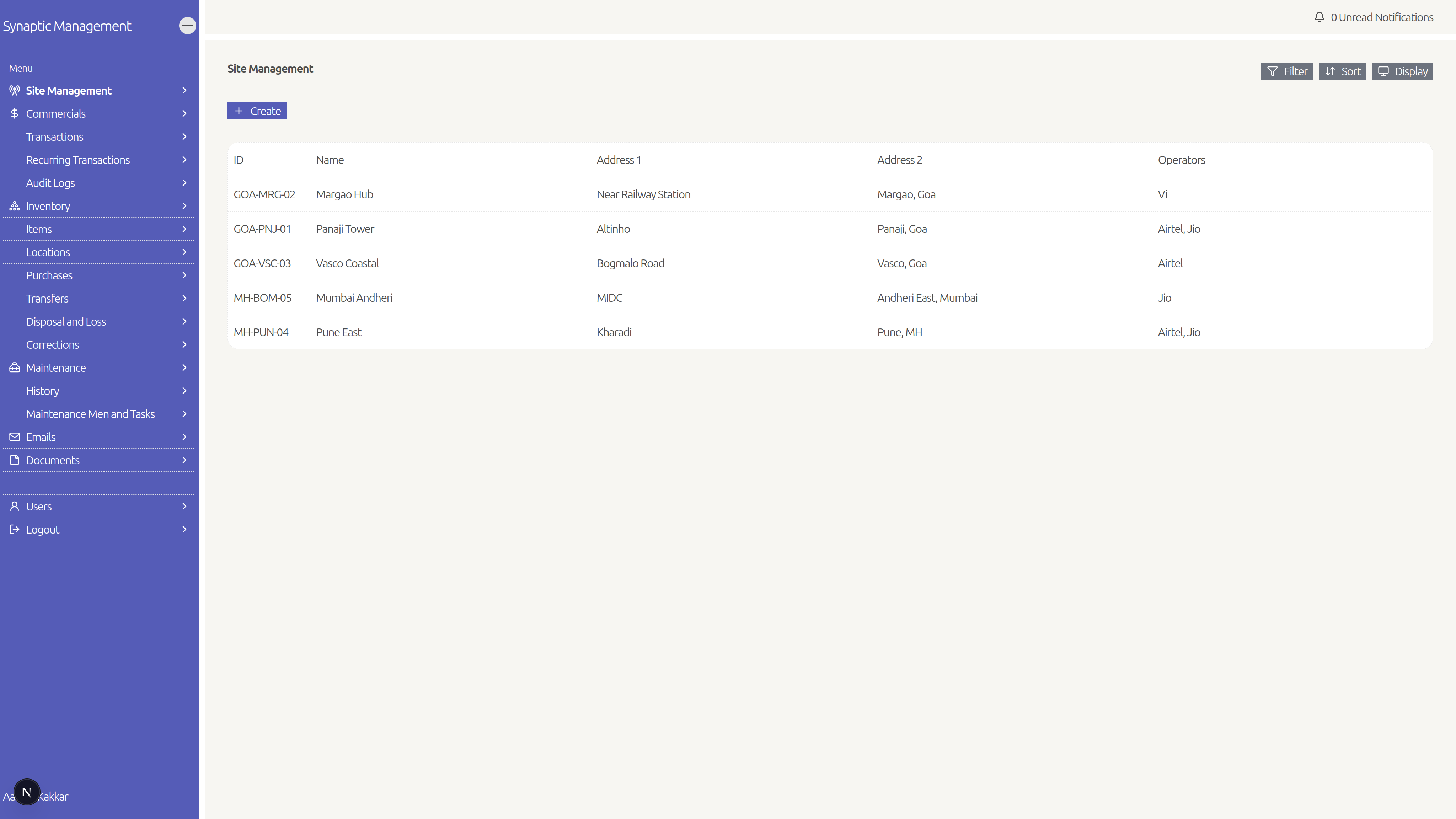
Site directory
Keep every site’s details in one list and open a site when you need the full picture.
An internal operations app built for Synaptic Integrated Telecommunication Services — so the team can track sites, inventory, money, maintenance, documents, and emails in one place. Staff only see what their role allows, instead of juggling spreadsheets and chats.
Client · Synaptic Integrated Telecommunication Services
View live site
Synaptic Integrated Telecommunication Services runs many field sites, a lot of equipment, and day-to-day money and maintenance work. That used to live in chats, Excel files, and people’s heads. The Internal Operations Manager App is the company’s own internal system for keeping it together — not a public product for other businesses to sign up for.
Inside the company, people use it to manage the site list, know what gear sits where, record purchases and transfers, log expenses and income, and follow maintenance jobs from draft to done. Inventory moves through clear steps (purchase, transfer, disposal/loss, corrections) so drafts don’t get mixed up with finished work. Commercials cover one-off and repeating transactions, often linked to a site. Maintenance keeps a history of who did what, with photos you can look up later.
Access is permission-based for Synaptic staff only: not everyone sees finance, inventory, or user admin. Files live in secure cloud storage behind login, and the system can send reminders and keep backups so the team isn’t starting from zero after a messy week.
The modules the Synaptic team uses every day — use the arrows when a feature has more than one screenshot.
Keep every site’s details in one list and open a site when you need the full picture.
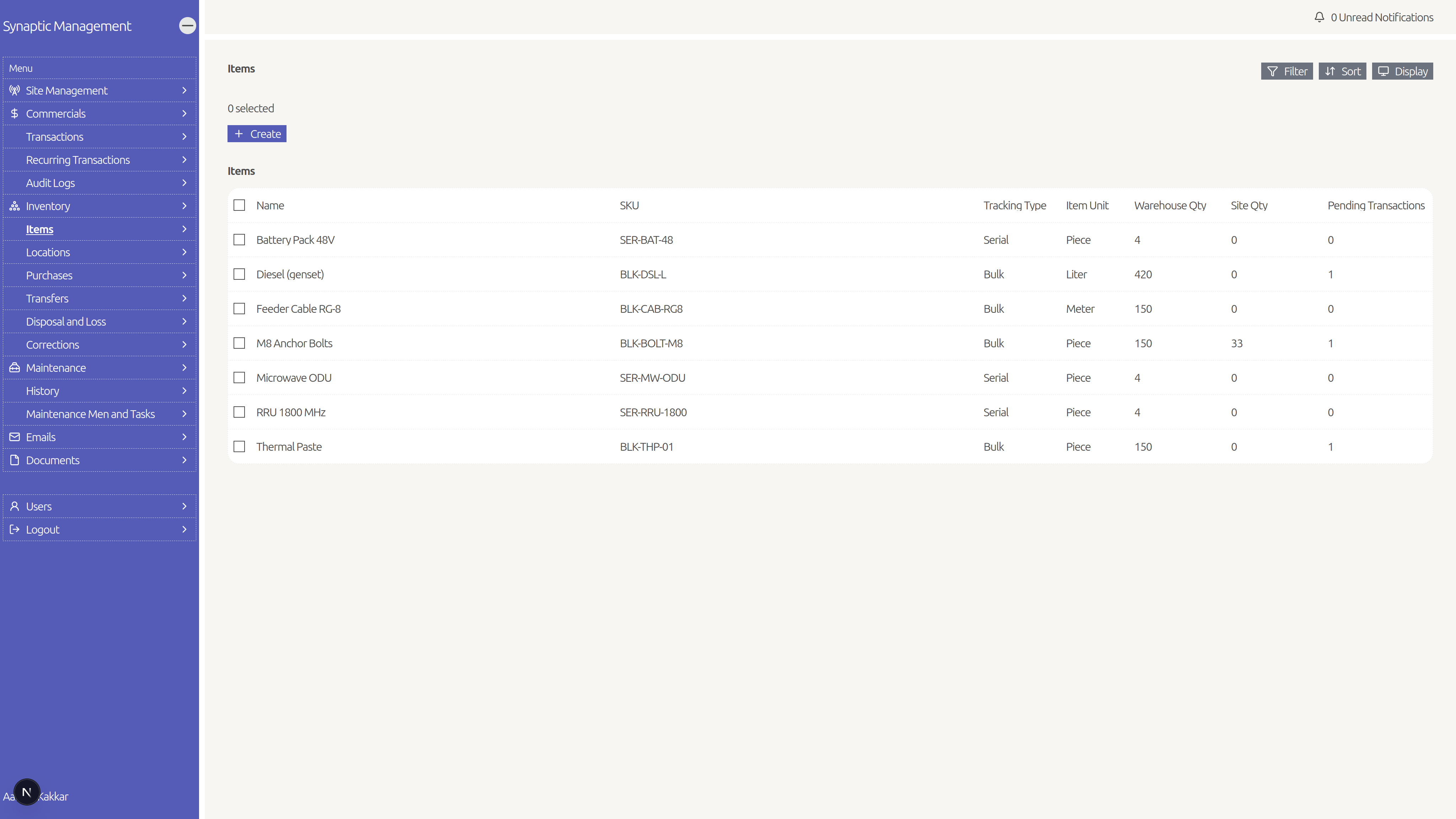
See items and stock by location, including serial-tracked gear where it matters.
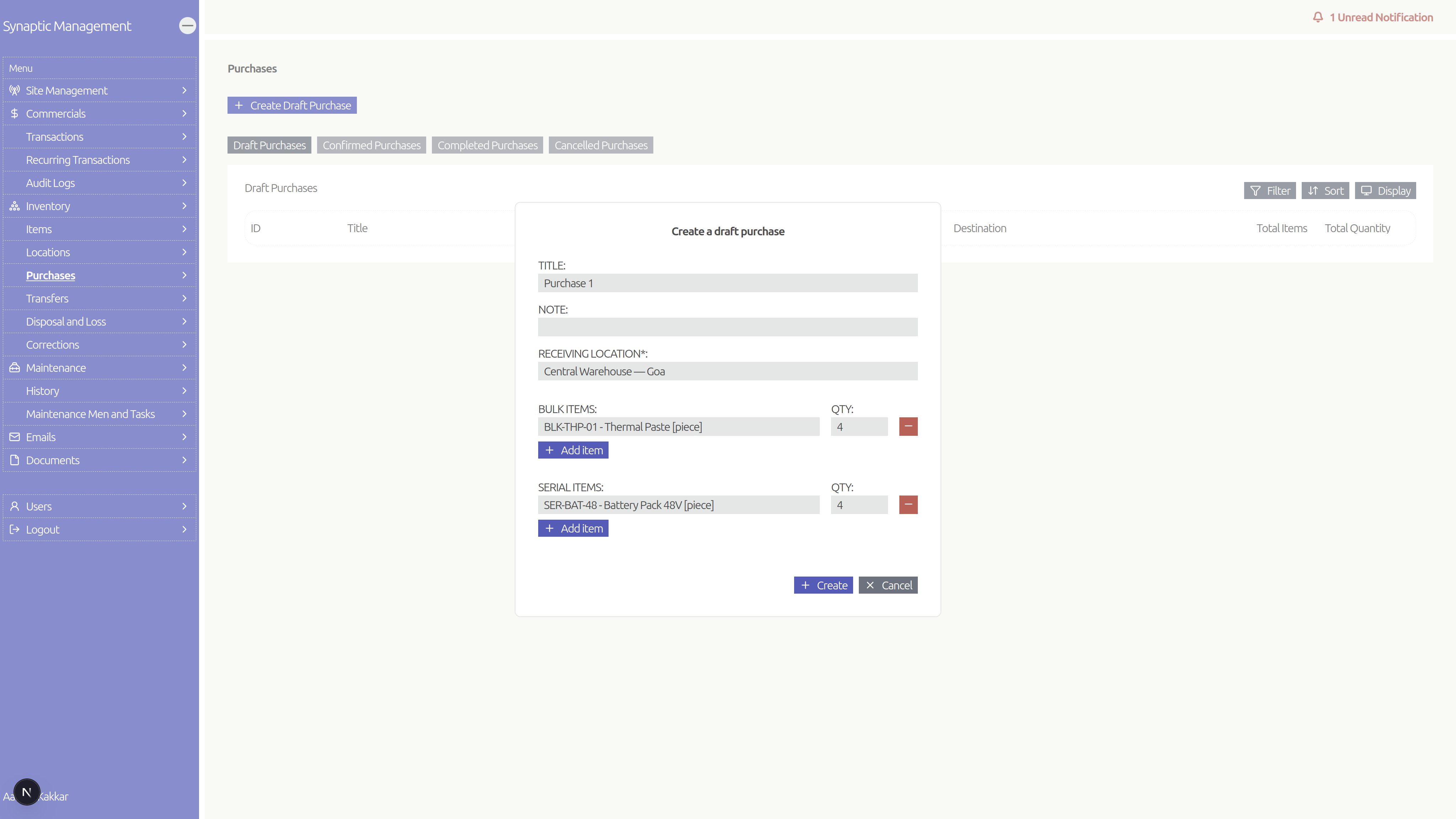
Move stock through real workflows (draft → confirm → complete), not just edit a spreadsheet cell.
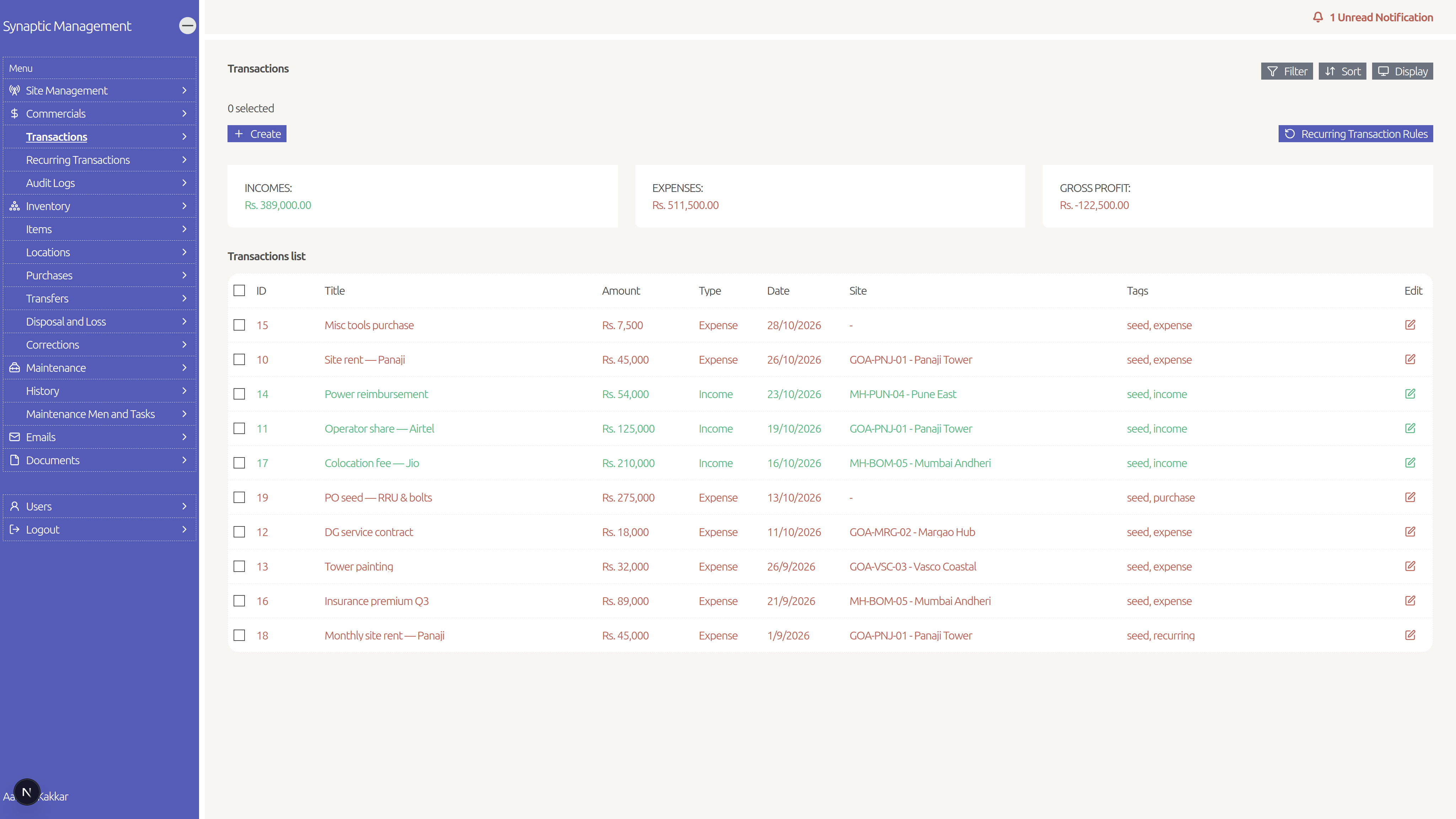
Log transactions, filter and sort them, and keep site-linked financial records tidy.
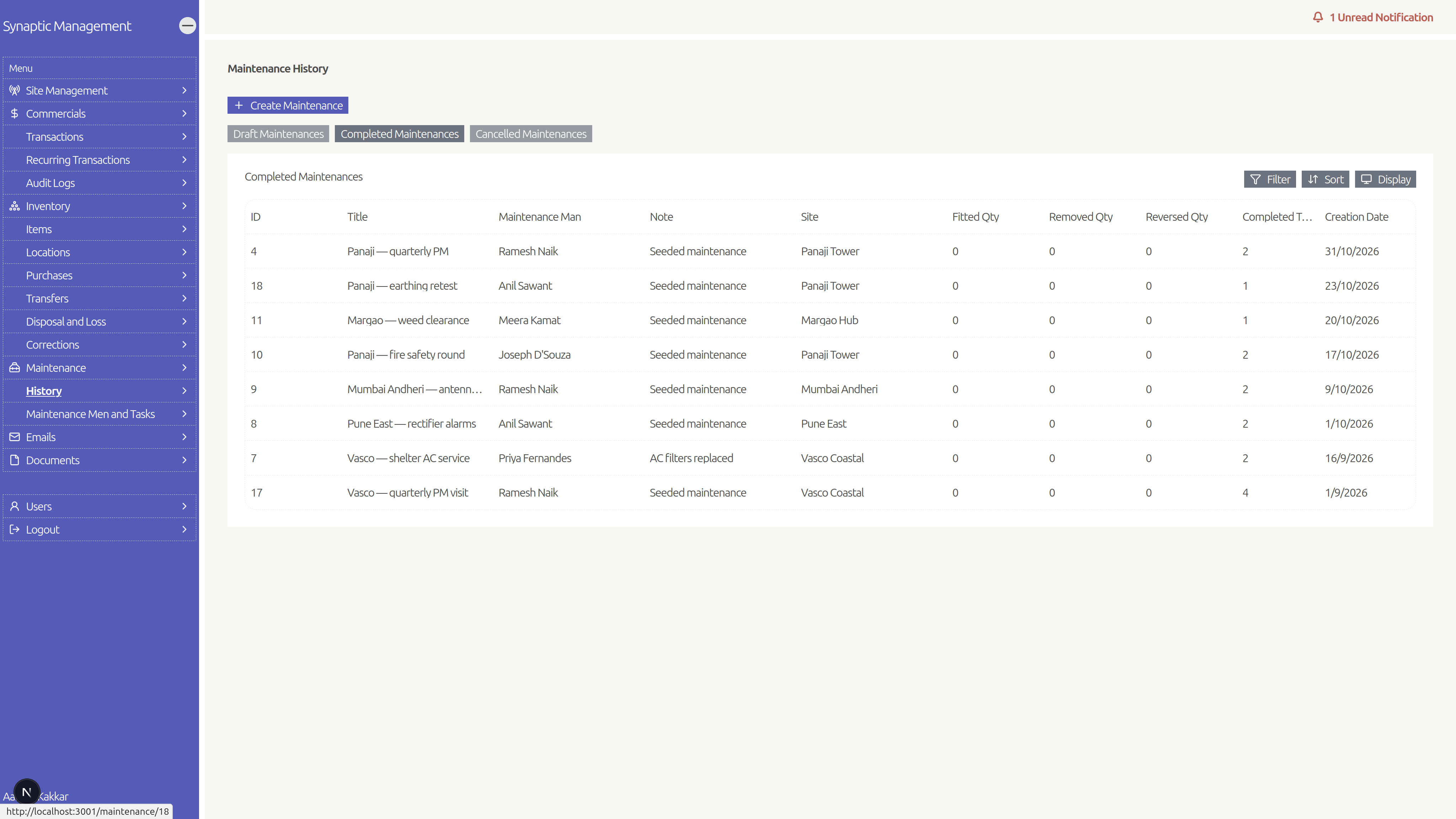
Create and follow maintenance jobs, with people/tasks and a history you can reopen later.
Supporting capabilities around permissions, documents, email, and accountability.
Set rules so repeating costs or income don’t have to be typed every time.
Upload and open files tied to your work (stored in cloud storage).
Save and browse important emails in the app instead of digging through inboxes.
Invite people and control who can view or change each area.
Get in-app alerts for things like drafts or pending maintenance (based on permissions).
See a history of important money-related changes for accountability.
Junior staff can prepare inventory/maintenance drafts; others confirm and finish.
Password login with bot protection on sensitive forms; invites and resets over email.
Attach bills or photos to a purchase record.
Built primarily with Next.js, with the rest of the stack chosen for auth, payments, storage, email, and hosting.
Have something similar in mind?
Tell us what you’re building — we’ll talk through fit and next steps.